Import Photos
Import from the System Photo Library
- Open My Photo Library.
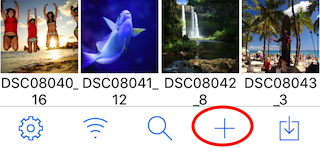
- Tap + in the toolbar.
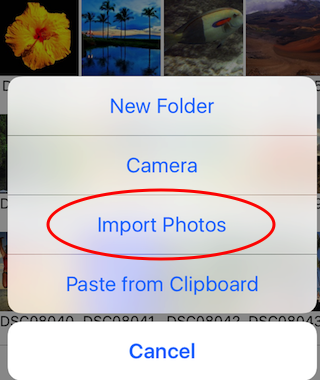
- Tap Import Photos.
- Select the photos you want to copy.
- Tap Import in the toolbar.
Note: Turn on Delete Photos After Import in the app settings if you want to delete the imported photos.